In March 2026 we gave a talk to parents at Colegio Emma Willard, San Juan de los Lagos campus, in Mexico. The title: Ciberseguridad en el Día a Día (Everyday Cybersecurity). About 40 minutes, no needless jargon, and one promise: everyone would leave with something they could do that very night.
This article is that talk in writing, with two changes: the numbers now have official sources (the slides used general figures; here you get linked data from Mexico's INEGI and CONDUSEF) and the recommended tools are updated, because in security what was a good idea two years ago sometimes isn't anymore.
Thanks to the school for opening its doors, and to the parents who stayed afterwards to ask questions. Those questions are the reason this blog exists.
The slides shown here are from the original talk, in Spanish; the captions explain them.
Spoiler: everyone is a target
I opened with: "while you read this, someone is trying to get into your account". It sounds dramatic until you look at Mexico's numbers:
- 20.4% of internet users aged 12 and over experienced cyberbullying in 2025: 19.4 million people. Among girls and young women aged 12–19 it rises to 25.4%, one in four.
- About 37% of victims were contacted through fake identities, and the most common channel was WhatsApp (around 41%).
- 61.1% never learned who the aggressor was. But among teens aged 12–17, 63.2% were targeted by people their own age.
- In Q1 2026, CONDUSEF (Mexico's financial consumer protection agency) logged 1.5 million possible-fraud complaints, up 31.5% year over year. That's 3 out of 4 complaints in the whole financial system, and banks reimbursed only about 24% of the amount claimed. SMS was the main bait.
Sources: INEGI, MOCIBA 2025 · CONDUSEF, Q1 2026 · El Informador (breakdown) (all in Spanish)
The good news: almost all of this is prevented with habits, not money. Let's get to it.
A hacker is not a criminal
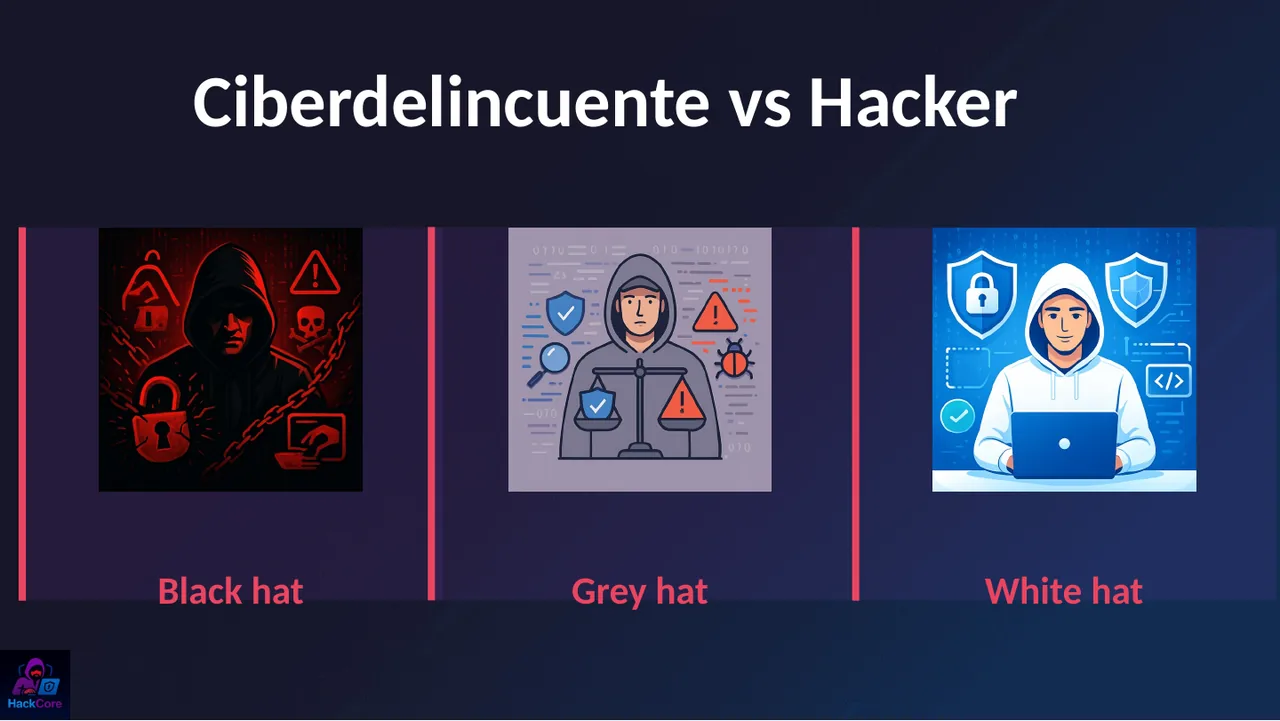
I asked: "a hacker is a bad guy, right?". Almost everyone said yes. Fair enough, the news uses the word for everything. But a hacker is someone who deeply understands how something works. The one who steals is a cybercriminal.
- White hat: finds flaws with permission so they get fixed. It's a job, and a well-paid one.
- Black hat: exploits them to steal, extort or cause damage.
- Grey hat: gets in without permission, even if they report it afterwards. Good intentions, bad idea (and a crime in many countries).
Why does this matter at home? Because if your kid says they like "hacking", that may be the start of a career. The conversation isn't "that's bad", it's "with permission yes, without permission no".
They know you: scams by age
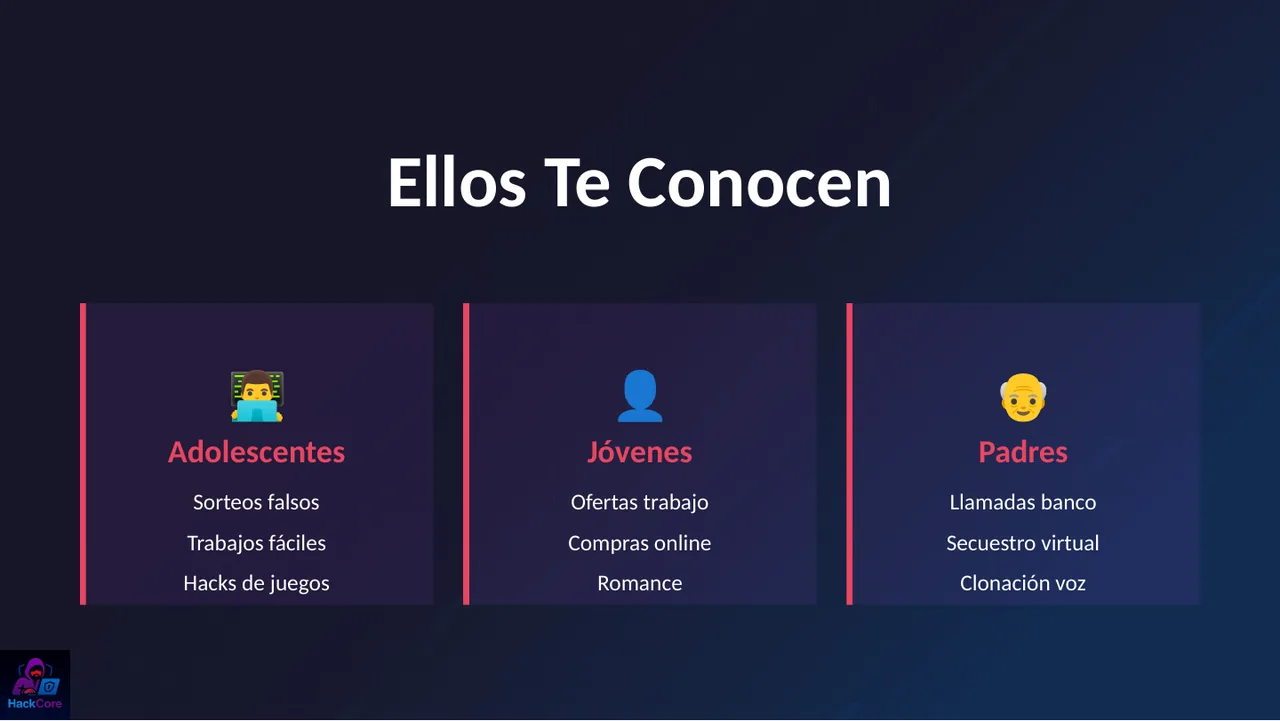
Scammers don't target "people", they target profiles. Every age has its bait:
- Teens: fake giveaways, "easy work from home", free hacks or skins for their games.
- Young adults: job offers that require an upfront payment, online deals that are too cheap, romantic profiles that can never do a video call.
- Parents and grandparents: calls "from the bank", virtual kidnapping (a call with screaming in the background claiming they have your child) and, newest of all, AI voice cloning built from audio you posted yourself.
Phishing: the favorite weapon
Phishing is a trick to get you to hand over your data or click where you shouldn't. It comes through four doors:
- Email: "your account will be suspended", "pending invoice", with copied logos.
- SMS (smishing): "your points expire today", "your package couldn't be delivered". CONDUSEF's number one fraud vector.
- Social media and WhatsApp: a "new" contact using the photo of someone you know, or a message from a friend whose account was already stolen.
- Phone calls: someone "from the bank's security team" who already knows your name and the last digits of your card.
Golden rule: your bank will never ask for your password, PIN, SMS code or token code by phone, text or WhatsApp. If they do, hang up and call the number on the back of your card yourself.
In the talk I showed screenshots of real messages. I'm not publishing them here because they include real people's names and numbers; the pattern is always the same: urgency, a specific amount and a shortened link.
bbva.mx.seguridad-cliente.top is not BBVA: what counts is what sits right before the first /, read from right to left.You're giving away your location, your routine, your life
A "finally on vacation!" story also says "my house is empty". A photo of the kids in uniform tells people which school they attend and when they get out. A photo of your front door with the house number, same thing.
- Post vacations when you're back, not while you're away.
- Watch out for uniforms, house fronts, license plates and live location.
- Check who sees your stories: "Close friends" exists for a reason.
- Big social networks usually strip location data (metadata) from photos on upload, but if you send a photo as a file, by email or through a cloud link, the GPS location may go along with it.
That $100 iPhone isn't a deal, it's a trap
If the price is too good, the product doesn't exist. When shopping online the key question is: if something goes wrong, who gives me my money back?
✗ Avoid
- Bank transfer to a person
- Cash or store deposits
- Cryptocurrency
✓ Prefer
- Credit card (or a virtual card)
- PayPal
- Marketplace payments, without leaving the platform
With a card or inside a platform, you have someone to dispute with. With a transfer to a stranger, that money is gone. If the seller says "let's do it outside the app to skip the fee", the purchase ends right there.
A flashlight app doesn't need your location
Every app asks for permissions: camera, microphone, location, contacts. Many ask for more than they need, because your data is also for sale.
- Android: Settings → Security & privacy → Permission manager.
- iPhone: Settings → Privacy & Security.
Check location, microphone and contacts. If an app has no clear reason to use them, revoke them. If you don't use the app anymore, uninstall it.
password123? That explains a lot
Weak passwords are still the easiest door: 123456, your name, your kid's birthday. A strong password:
- Is long: at least 12 characters; better yet, a phrase of 4 or 5 unrelated words.
- Is unique for every account. If one leaks, the rest don't fall with it.
- Doesn't need to be memorized: that's what a password manager is for.
And on top of that, turn on two-step verification (2FA): even if someone has your password, they're missing the second factor.
Free tools I actually recommend
- Bitwarden: free, open-source password manager for phone, computer and browser.
- Google Authenticator or Microsoft Authenticator: 2FA codes. Better than SMS, because texts can be intercepted or your phone number hijacked.
- haveibeenpwned.com: enter your email and it tells you whether it showed up in a data breach.
- Microsoft Defender: already built into Windows and enough for most homes. Just keep it updated.
Games and social media: a scammer's paradise
Wherever kids and teens are, scammers are too. In games you'll see "free" skins that ask for your username and password, stolen accounts, mods bundled with malware, and pressure to spend on microtransactions. On social media: fake profiles, bots, and adults trying to win minors' trust (grooming).
- Turn on parental controls on the console or app store, plus a spending limit.
- Nothing "free" needs your account password. Nothing.
- Make sure kids know that if an adult asks them for secrets, photos, or to move to another app, they should tell you, and that telling you won't mean losing the game.
STOP · LOOK · THINK: your shield
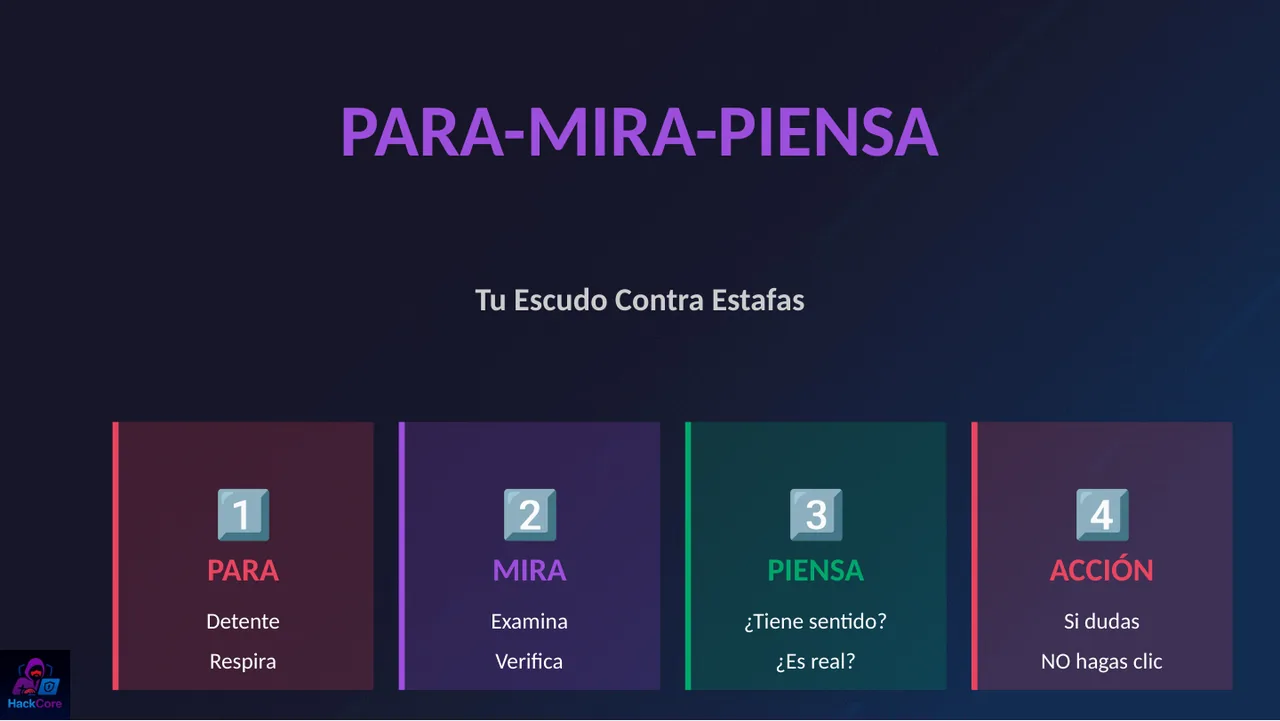
If you keep only one thing from this article, make it this one. Every scam runs on rush and emotion: fear, urgency, excitement. The antidote is to slow down:
- STOP. Pause and breathe. Nothing legitimate is lost by waiting five minutes.
- LOOK. Who really sent this? Does the link go to the official site? Is it the usual number?
- THINK. Does it make sense? Why would they ask for this through this channel?
- ACT. When in doubt, don't click. Verify through another channel: call them yourself, open the official app, ask at home.
Trust is stronger than fear
This was the part that moved the audience the most. If a kid falls for a scam and their first instinct is to hide it because they'll lose their phone, the scammer gains time. Many extortion cases grow precisely because the victim is afraid to speak up.
- No punishment for falling for it: help first, learn afterwards.
- Open communication: talk about scams like any other street danger.
- Lead by example: share when you almost fell for something too.
Two (illustrative) cases
These are not real people: we built them from the patterns that show up most often in reports, so you can see what a scam looks like from start to finish.
María, 16: the "easy job"
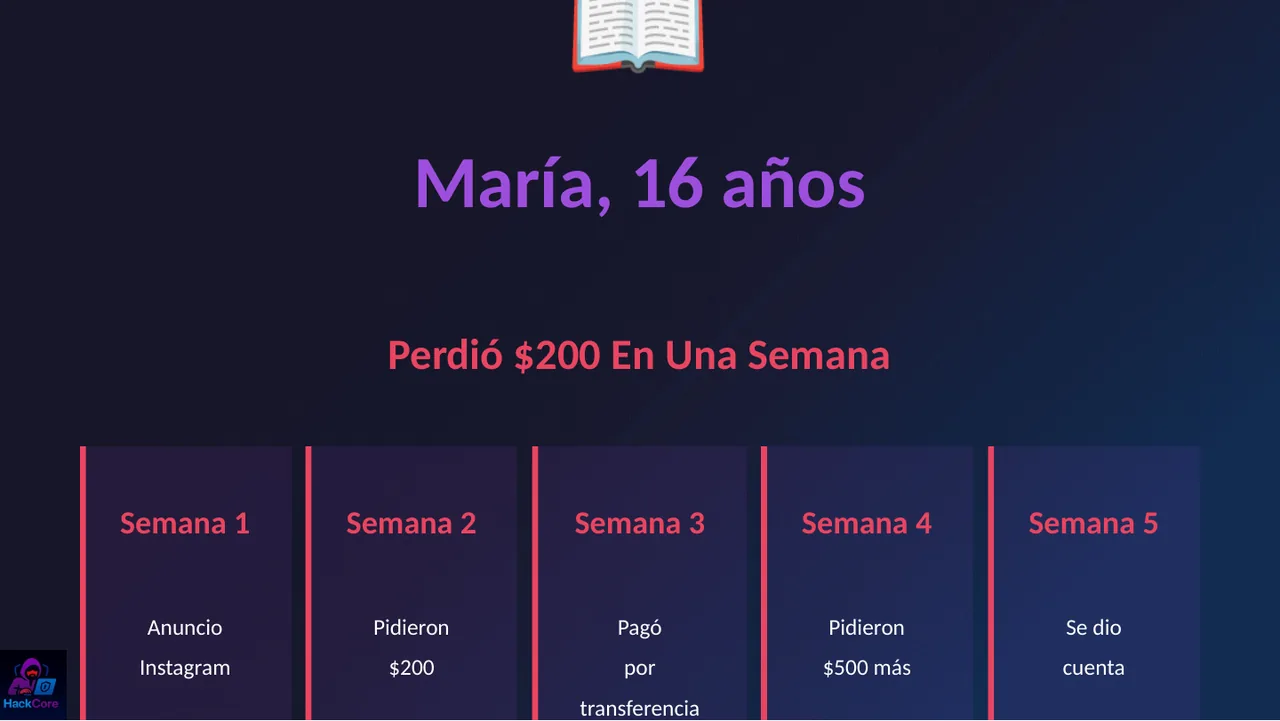
- She sees an Instagram ad: make money from home, no experience needed.
- They ask for a 200-peso "sign-up fee".
- She pays by bank transfer (the payment method with no protection).
- They ask for 500 pesos more to "release" her earnings.
- She realizes. The 200 pesos never come back.
Lesson: no real job charges you to hire you. If it sounds too good, it's fake. And the second charge always comes: the scammer already knows you pay.
Juan, 45: the "receipt"
Juan runs a small business. A "new client" emails him a payment receipt: comprobante.pdf.exe. Juan opens it. It's ransomware: it steals data and encrypts the files on every computer on the network. Then comes a demand to pay for "releasing" them, with no guarantee they'll deliver.
- Set Windows to show file extensions: a
.pdf.exeis not a PDF. - Keep backups that aren't connected all the time: one copy off the network and one in the cloud.
- Keep the operating system and antivirus up to date.
Your mission tonight: 30 minutes
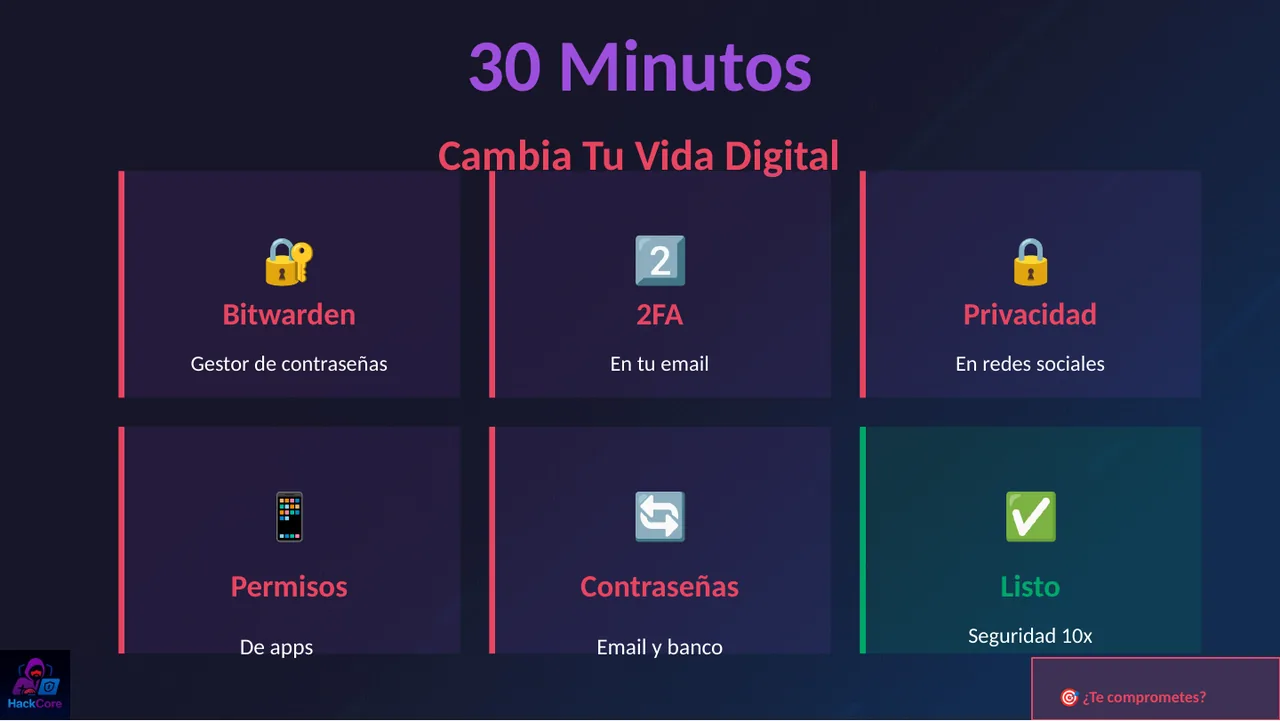
We closed the talk with a challenge. Six five-minute blocks, and your security goes way up:
- 2FA on your email (5 min). Your email is the master key: it's how every other account gets recovered.
- Install Bitwarden (5 min) and store your first passwords there.
- Social media privacy (5 min): private profile, who sees your stories and your location.
- App permissions (5 min): revoke location, microphone and contacts from apps that don't need them.
- Change your email and bank passwords (5 min) to long, unique ones.
- Family code word (5 min): agree on it tonight at dinner.
If it already happened: what to do
- Don't pay any more and stop replying. With extortion, paying almost never ends it.
- Don't delete anything: keep screenshots, numbers, links and receipts.
- Call your bank at the number on your card to block it and open a dispute as soon as possible.
- Change passwords from a device that isn't compromised and sign out of all open sessions.
- Report it: in Mexico, to CONDUSEF if there were charges, and to the National Guard's 088 line or your state's cyber police. Elsewhere, to your country's consumer protection agency and police.
- Warn your contacts if an account was stolen, before the scammer messages them in your name.
Keep learning
- WeLiveSecurity (ESET): scam alerts explained in plain language.
- FTC Consumer Advice: scams: how to spot, avoid and report them.
- haveibeenpwned.com and bitwarden.com.
If you'd like this talk for your school, company or community, get in touch. And if it helped, share it with that one person who still uses 123456. We all have one.